How to Contact Duolingo: Complete Support Guide for Quick Help
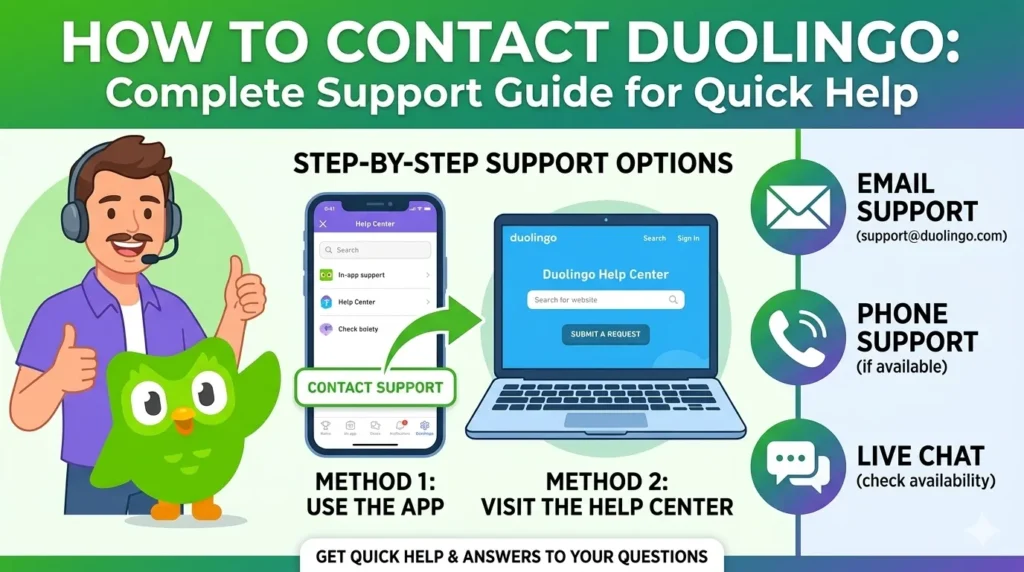
Struggling with a lost streak or billing glitch on Duolingo? Contacting their support often feels like navigating a maze with no live agents. This guide cuts through the confusion with proven steps tailored for US-based English learners.
Why Contacting Duolingo Feels Impossible
Duolingo prioritizes self-service over live support, pushing users to bots and articles first. Their system handles millions of learners, so email responses can lag 1-2 business days amid high volumes. This setup saves costs but frustrates urgent needs like hacked accounts.
No phone lines exist for standard users, and live chat is rare outside premium tests. Instead, expect heavy reliance on the Help Center at support.duolingo.com. Understanding this structure helps you target the right channel faster.
Fastest Contact Methods
Start with the in-app Help Center for instant answers—tap the cog icon, scroll to “Help,” and search your issue. It covers 80% of problems like login errors without waiting.
For escalation, use in-app feedback: After Help Center, hit “Send Feedback” with details and screenshots—Duolingo Plus users get priority here. Email via support forms at support.duolingo.com works too, but pair it with social media DMs to @Duolingo on X (Twitter) for quicker pings.
Community forums at forum.duolingo.com offer peer fixes, often within hours from moderators. Avoid generic emails like press@duolingo.com unless for media.
Reasons for No Response
High ticket volume from global users spikes delays, especially post-updates or holidays. Wrong category selection (e.g., picking “Billing” for streaks) routes tickets poorly, adding days.
Account verification stalls if you skip username, device info, or proof like receipts. US users hit backlogs during tax season billing rushes. Check spam folders—replies come from no-reply@duolingo.com.
Account Recovery Steps
Lost login? Go to duolingo.com, click “Forgot Password,” enter your email or username—reset links arrive in minutes if email access exists. For hacks, use in-app “Report Issue” under Security with device ID and last login date.
Duolingo requests username, email, phone (if linked), and streak details for verification—no SSN needed in the US. Lost email? Submit a recovery ticket via Help Center with alternate proof like Google/Facebook login history; expect 2-3 days.
Pro Tip: Enable 2FA immediately post-recovery to block future breaches.
Fixing Subscriptions and Billing
To cancel Super Duolingo, open app settings > “Subscriptions” > Manage via Apple/Google/Amazon—US users get instant stops but no instant refunds. Refunds are rare, only for accidental charges within 48 hours or app faults; email billing@duolingo.com with receipt.
Common US pitfalls: Forgetting family plan limits (6 members max) or iOS renewal glitches. Track via email receipts—disputes via credit card work if Duolingo denies.
| Issue | Steps | Expected Time |
| Cancel | App > Subscriptions > Platform Manager | Instant |
| Refund | Help Center Ticket + Receipt | 3-5 days |
| Double Charge | Screenshot + Email | 1-2 days |
App Glitches and Progress Fixes
XP resets? Clear cache (Settings > Apps > Duolingo > Storage) or reinstall—report via feedback if persistent. Streak recovery needs proof like old screenshots; submit under “Progress” category for Legend status review, up to 7 days.
Crashes on US Android/iOS? Note OS version in ticket—beta bugs get faster fixes. Progress sync fails across devices? Link via Google/Apple ID first.
Response Time Expectations
Email/in-app tickets: 24-48 hours standard, up to 72 during peaks like January resolutions. Social media: Under 24 hours for public US queries.
Factors slowing replies: Vague messages, weekends (US EST team), or unverified accounts. Follow up by replying to your ticket thread, not new ones.
Speed Up Your Support Ticket
Select precise categories like “Account Access” over “General.” Write clear subjects: “US iPhone Login Fail – Username: xyz123” with screenshots of errors.
Include device (e.g., iOS 18.1), app version, and steps to reproduce. Duolingo flags detailed tickets for priority—US English gets native reviewers.
FAQ
Does Duolingo have live chat?
No for app users; limited to English Test via dashboard.
Can I get a refund from Duolingo?
Yes, within 48 hours for errors—file via Help Center with proof.
Why is Duolingo not replying?
High volume or incomplete info; check spam and reply to thread.
How can I contact Duolingo directly?
In-app feedback or @Duolingo on X—Help Center first.
How do I contact Duolingo support?
support.duolingo.com > Send Feedback.
How does Duolingo support language learners?
Via Help Center articles in 20+ languages, forums.
Does Duolingo offer local US support?
English tickets prioritized; no phone.
How to contact Duolingo for business inquiries?
sales@duolingo.com or LinkedIn.
How do I contact someone on Duolingo?
Forum moderators or social DMs.
Does Duolingo respond to emails?
Yes, 1-2 days typically.
Can you talk to anyone on Duolingo?
No live voice; async only.
How do I recover my account?
Forgot Password or recovery ticket with proofs.

I’m a website professional with 5 years of experience in building, managing, and growing online content platforms. As the creator of DuolingoGuides.us, I focus on providing helpful, easy-to-understand guides and resources for Duolingo users and language learners. My goal is to make information simple, accurate, and accessible for everyone.