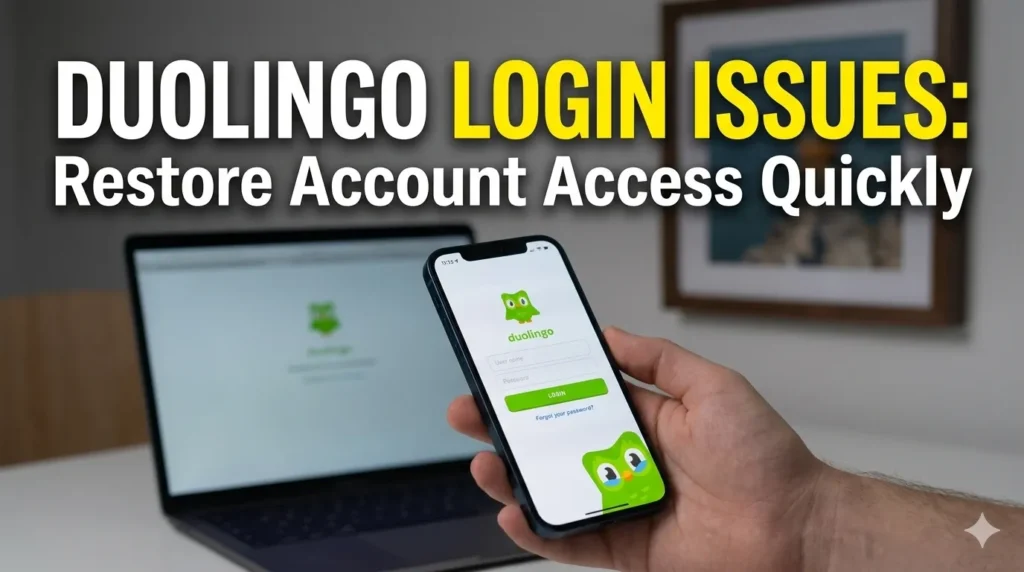
Duolingo Login Issues: Restore Account Access Quickly
Why You Can’t Log Into Duolingo (Common Causes)
Login interruptions often stem from minor technical mismatches or outdated authentication data. Common causes include an email mismatch where the address provided doesn’t match your registered profile, or password reset issues due to expired links.
Furthermore, Google/Apple login failures frequently occur if third-party permissions are revoked or browser cookies are blocked. Finally, your account being locked or suspended due to suspicious activity or policy violations may prevent access entirely.
Forgot Your Email or Username? Here’s How to Recover It
If you have lost track of your credentials, start by searching your personal email inboxes for any past notifications from Duolingo. Use the “Forgot Password” feature on the login screen, entering every email address you currently own to see if you receive a reset link.
As an alternate email search trick, check your secondary or recovery email accounts, as users often register with older addresses they rarely use. Remember that recovery links are typically time-sensitive, often expiring within 15 to 60 minutes for security reasons.
Google Sign-In Not Working (Fast Fix)
If you cannot sign in using your Google account, the most effective fast fix is to clear your browser cache and cookies, which often contain stale session data. Additionally, navigate to your Google account settings to reconnect the Google account by removing and re-granting permission for Duolingo. If you are using an incognito window, ensure you have enabled third-party cookies, as blocking them often breaks the OAuth authentication flow.
Apple ID Login Problem Fix
Users encountering Apple ID login problems should first verify their device’s Apple login settings under system preferences. Perform a re-authentication by signing out of your Apple account on the device and signing back in to refresh the token. If a device sync issue persists, try toggling your internet connection or restarting the app to ensure the authentication handshake is successfully completed.
Account Locked or Suspended? What to Do Next
If your account is locked or suspended, it is often due to a violation of community guidelines or automated security flags. The unlock request process usually requires you to contact the official Duolingo support team directly through their help portal. Be prepared to provide account details to verify ownership, and note that waiting time expectations can vary from a few hours to several days depending on the volume of support tickets.
Lost Your Progress or Streak?
Progress might appear missing if you accidentally created a duplicate account by using a different login method, such as signing in with email instead of your usual social login. To restore the correct account, log out entirely and try signing in using the specific service (Google, Apple, or Facebook) you originally used to create your profile. Avoid creating new accounts if your streak is missing; instead, focus on recovering the primary account to merge your data correctly.
Subscription Not Showing After Login
If your subscription is not reflecting after a successful login, first check the payment email associated with your App Store or Play Store account to ensure it matches the one you used for Duolingo. Use the restore purchase button found within the app’s shop or settings menu to force a sync with the app store. This action typically resolves app store sync fix issues where the app fails to recognize the active status of your premium membership.
Quick Checklist Before You Contact Support
Before escalating your issue, verify this quick checklist:
- Are you using the correct email address registered to your account ?
- Did you use the same login method (e.g., Google vs. email) as your initial sign-up ?
- Is your device updated to the latest OS version to ensure compatibility ?
- Have you checked your spam or junk folder for missing verification emails ?
Final Recovery Path (Step-by-Step Summary)
To follow a simple 3–5 step recovery flow: navigate to the login screen, select “Forgot Password,” check your inbox for the reset link, create a new secure password, and sign in using that updated credential. This path ensures your profile remains consistent and protects your hard-earned progress. If you remain stuck, reach out to Duolingo support with your username and registered email for further assistance.
Prevent Future Login Problems
To prevent future login problems, consistently save your login method and avoid switching between social and email sign-ins. It is highly recommended to link multiple options—such as an email and a phone number—to your profile so you have backup recovery paths. Furthermore, use a password manager to securely store your Duolingo credentials, ensuring you never lose access due to forgotten passwords again.
Frequently Asked Questions
Is there an issue with Duolingo right now?
You can check the status of Duolingo servers through their official social media pages or third-party server monitoring sites.
Why is my Duolingo login not working?
It is often caused by browser cache conflicts, incorrect login methods, or temporary server overloads.
Why can’t I log in to my Duolingo account?
Common reasons include forgotten passwords, email mismatches, or disabled third-party cookies.
How do I login to Duolingo?
You can login using your registered email, username, or linked Google/Apple/Facebook accounts.
How do I recover my Duolingo account password?
Click the “Forgot Password” link on the login page to receive a reset link at your registered email address.
How do I Fix A Duolingo app login problem?
Start by updating the app, clearing the cache, or reinstalling it if the issue persists.
How long does it take for a Duolingo account to be deleted?
Once a deletion request is processed, it is usually permanent and cannot be undone.
What happens if I reinstall Duolingo?
Reinstalling the app clears local cache, which often resolves stuck sessions, but your data remains safe on Duolingo servers.

I’m a website professional with 5 years of experience in building, managing, and growing online content platforms. As the creator of DuolingoGuides.us, I focus on providing helpful, easy-to-understand guides and resources for Duolingo users and language learners. My goal is to make information simple, accurate, and accessible for everyone.