Duolingo Friends Feature: How To Add, Compete & Fix Common Issues
Struggling to connect with friends on Duolingo despite wanting that extra push in language learning? This guide provides clear steps to add friends, compete effectively, and resolve glitches for seamless social features.
What Is Duolingo Friends Feature?
The Duolingo Friends feature lets users follow others to track progress, share milestones, and collaborate on challenges like Friends Quests, turning solo learning into a social experience. In the USA, where over 20 million active users engage monthly, it boosts completion rates—learners with friends are 5.6x more likely to finish courses—by fostering accountability and friendly rivalry.
How To Add Friends (Step-by-Step)
Mobile
Open the Duolingo app, tap your profile icon at the bottom, then hit the “Add Friends” button to sync contacts, connect Facebook, search usernames, or invite via messaging apps like WhatsApp. Tap “Follow” on suggested users or search results; mutual follows create true “friends” for quests. This works instantly on iOS and Android for USA users with updated apps.
Desktop
Log into duolingo.com, click your profile avatar top-right, scroll to “Find Friends” or “Invite Friends” at the bottom. Search by username/email or use synced mobile suggestions—no direct contacts sync, but follows appear across devices. Confirm by checking your Following and Followers lists for mutual connections.
Can’t Find Add Friend Option?
Common causes include private profiles, inactivity, age under 13, classroom restrictions, or hitting the 1,000-follow limit. Fix instantly: Set profile public via desktop (Profile > Privacy > tick “Make my profile public”), complete a lesson to reactivate, update app, or unfollow extras. USA users report success after cache clear or device restart, often within 24 hours.
How Leaderboard & Competition Works
Earn XP (experience points) from lessons, practices, stories—10-25 XP per lesson typically—for weekly rankings in leagues like Bronze to Obsidian. Leaderboards auto-assign you to 30-user groups after ~7 lessons; top ranks promote leagues every Tuesday reset, with friends visible in separate tabs (weekly/monthly/all-time). In USA competitions, consistent daily practice climbs you past global rivals.
Why Friends Feature Feels Useless (And How To Fix It)
Inactive friends fail to trigger Friends Quests, as Duolingo pairs only mutual, active follows post-Tuesday 1 p.m. EST. Fix by syncing more contacts/Facebook for better matches, send nudges/XP gifts, or remind via app messages to keep streaks alive. USA learners hack motivation by focusing mutual friends for quests (e.g., 250 shared XP), turning “useless” into 2x engagement.
Is Duolingo Friends Feature Safe?
Control privacy via desktop: Toggle “Make my profile public” off to hide from leaderboards/friends, limiting visibility to approved follows. Strangers can’t add without your follow-back; under-13 USA accounts auto-restrict per COPPA rules. Visibility stays within app—no real-world data shared beyond usernames/streaks unless you sync contacts.
Common Problems & Fixes
- Request not sending: Wrong case-sensitive username or privacy blocks—verify public settings, retry web version.
- Not showing: Disabled quests (Profile > Gear > General > toggle Friends Quest on), no mutuals, or outdated app—restart/update.
- Sync issues: Internet glitches or cache—clear app data, check connection, wait 24h post-lesson. USA fixes emphasize reinstalling for iPhone/Android sync.
Pro Tips To Use Friends Feature Effectively
Leverage streaks by following high-streak USA users for daily reminders, earning gems/XP from joint Friends Quests (5-day challenges like 1,000 XP). Pick “smart” competitors matching your pace via suggestions; nudge inactive ones or gift XP boosts for reciprocity. Track weekly leagues Tuesday-Sunday for promotions, combining with Monthly Goals for badges.
FAQs
Can strangers add me?
No, only if you follow back; privacy hides you from non-follows.
Can I remove friends?
Yes, unfollow via profile lists—they vanish from rankings/quests.
Does Duolingo have a leaderboard?
Yes, XP-based leagues with friends/global tabs, weekly resets.
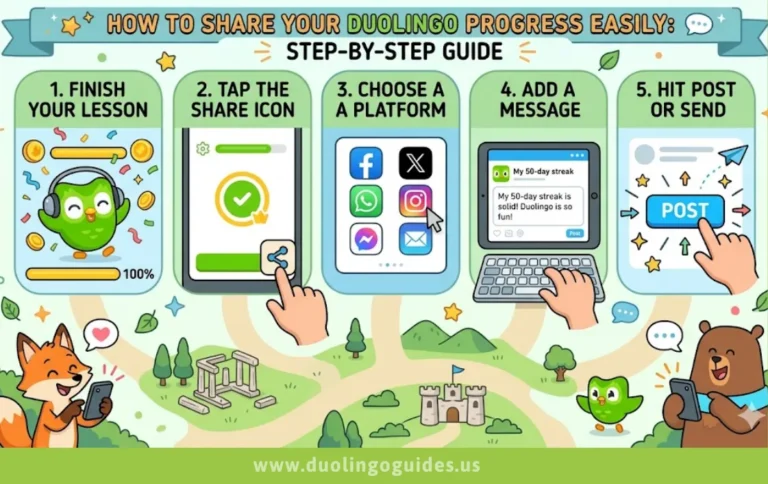
Can you share Duolingo progress?
View friends’ streaks/XP; no full lesson details shared.
Can you connect with friends on Duolingo?
Via follows, quests, nudges across mobile/desktop.
Can you see your friends’ progress on Duolingo?
Yes, in friends rankings (weekly/monthly/all-time).
Why does no one like Duolingo anymore?
Popularity holds strong in USA (millions active); features evolve for engagement.
What is the Duolingo Friends feature?
Follow/track/quest system for motivation.
How to add friends on Duolingo?
Profile > Add Friends > sync/search/follow.
Can Duolingo boost your learning?
Yes, friends multiply completion by 5.6x.
Why can’t I see leaderboard?
Complete 7+ lessons; public profile required.
Conclusion
Master Duolingo’s Friends feature to transform learning—add via profile, compete in XP leagues/quests, fix glitches swiftly for sustained USA-style motivation