Duolingo Customer Service: Phone Number, Email & Support Guide
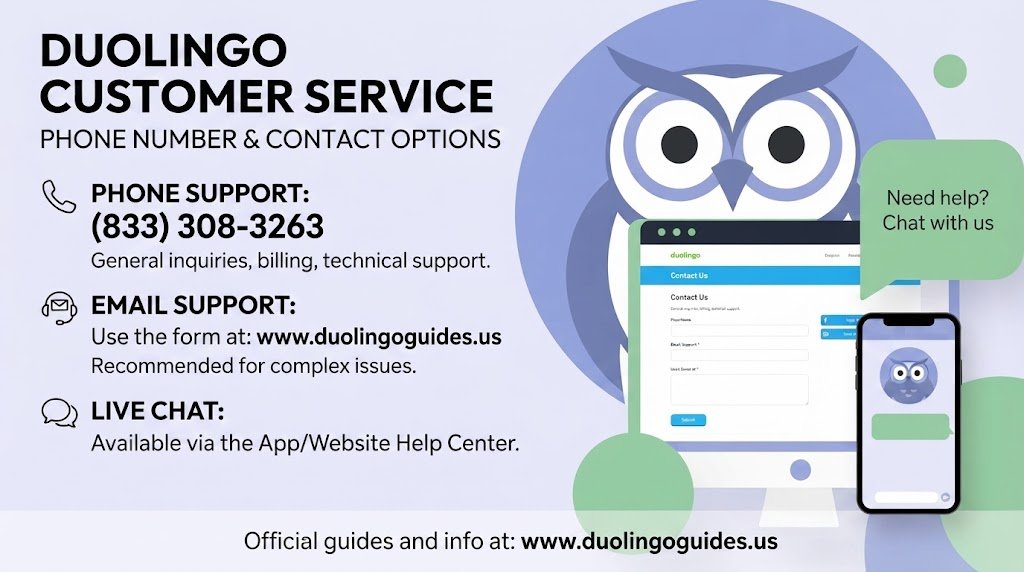
If you need Duolingo customer service, the fastest option is usually the official Help Center rather than searching for a traditional call-center number. Duolingo directs users with app, account, or subscription problems to its Help Center, where you can find troubleshooting information and support options.
This guide brings the important contact details into one place, including phone numbers that are associated with Duolingo’s corporate records, support emails, the Help Center, account recovery, subscription and billing problems, and Duolingo English Test support.
Duolingo Customer Service Phone Number
The number +1 (412) 567-6602 is associated with Duolingo, Inc.’s Pittsburgh corporate office in official company and SEC-related records. It should be understood as a corporate telephone number, not necessarily a dedicated customer-service hotline.
Some online contact pages also list +1 (412) 695-9655 as a Duolingo support number. Because Duolingo’s current official customer-support guidance directs app, account, and subscription users to the Help Center, it is safer to use the Help Center for a customer-support request instead of assuming that either number provides a live customer-service line.
In other words, if your goal is to solve an account, billing, streak, subscription, or technical problem, start online and use the telephone information mainly as corporate contact information.
Duolingo Customer Service Contact Information
Here are the most useful numbers and addresses in a simple format so you do not have to search through several pages.
| Contact detail | Information |
|---|---|
| Corporate phone | +1 (412) 567-6602 |
| Other number reported online | +1 (412) 695-9655 |
| Corporate headquarters | 5900 Penn Avenue, Pittsburgh, PA 15206, USA |
| Official app/account support | Duolingo Help Center |
| Official Store support | store.support@duolingo.com |
| English Test support | englishtest-support@duolingo.com |
| Corporate press | press@duolingo.com |
| Investor relations | ir@duolingo.com |
The corporate telephone number and Pittsburgh headquarters are supported by Duolingo’s corporate filings. Duolingo’s official website identifies the Help Center as the customer-support destination, while its Store provides store.support@duolingo.com for Store-related assistance.
For Duolingo English Test questions, the official test-taker guide lists englishtest-support@duolingo.com as the support email.
How to Contact Duolingo Support Online
For most users, the Duolingo Help Center is the best starting point. It is designed for problems involving the Duolingo app, accounts, subscriptions, and common technical questions. Duolingo itself directs users there for help with the app, account, and subscription.
When submitting a request, explain exactly what happened instead of sending only a short message such as “my account does not work.” Include the email connected to your account, the device you are using, what you expected to happen, what happened instead, and any relevant screenshots. This gives support more useful information from the beginning.
Duolingo Customer Service for Account Problems
Account problems can be particularly frustrating because they may affect your progress, streak, subscription, or access to purchased features.
If you cannot sign in, first check that you are using the same login method and email address originally connected to your Duolingo account. If you recently changed your password, check your email for account-related messages and make sure you are using the latest version of the app.
For a technical problem, basic troubleshooting can also eliminate problems caused by your device rather than your account. Updating Duolingo, restarting the app, checking your internet connection, clearing browser or app data where appropriate, and reinstalling the application can help isolate the problem.
Duolingo Customer Service for Billing and Super Duolingo
Subscription problems often involve Super Duolingo, Apple App Store, Google Play, or another payment platform. Before contacting support, check where the subscription was purchased because the payment platform can affect how cancellation, billing, and refund requests are handled.
Keep your purchase receipt, transaction ID, payment date, and the email associated with your Duolingo account available. If you were charged an unexpected amount, giving support the exact charge and date is much more useful than simply saying that your subscription is not working.
Also remember that account deletion and subscription cancellation are separate issues. Deleting an account should not be treated as a substitute for checking whether a recurring subscription has actually been cancelled.
Duolingo English Test Customer Service
The Duolingo English Test has a separate support route from ordinary language-learning app questions. The official test-taker guide specifically provides englishtest-support@duolingo.com for additional questions.
This is the appropriate route to consider for problems involving your English Test experience, test results, testing requirements, or other test-specific concerns. The official guide also directs test takers to the English Test FAQ and Help option on the website.
If you are reporting a test problem, include the test date, the email used for the test account, and a clear explanation of what occurred. If you received an error message or invalid-result notification, keep the exact message available when contacting support.
Duolingo Customer Service for Technical Problems
Technical issues can happen on both the mobile app and browser. Before opening a support request, try the simplest fixes first.
- Update Duolingo, restart the app or browser, check your internet connection, clear relevant cache or browsing data, and reinstall the app if necessary.
If the problem continues, describe your device, operating system, browser or app version, and the exact step that causes the error. Screenshots can be especially useful when the problem involves a payment screen, missing feature, error message, or account page.
Duolingo Customer Service for Lost Streaks or Progress
A lost streak can be more than a cosmetic problem for someone who has spent months or years learning. If your streak, course progress, gems, or other account information suddenly looks incorrect, avoid repeatedly changing account settings while trying to fix it.
Instead, document what you see first. Take screenshots, note approximately when the problem occurred, and make sure you are signed into the correct account. Then use the appropriate support route and explain what changed.
This makes your request much easier to understand and reduces unnecessary back-and-forth.
Duolingo Executive and Corporate Contacts
For normal customer-service questions, executive contacts should not be the first option. The normal support route is more appropriate for routine account, technical, subscription, and learning problems.
For a serious unresolved issue, however, corporate information can be useful for understanding where Duolingo is based and how the company is structured. Duolingo identifies Luis von Ahn as its Chief Executive Officer, while Robert Meese and Manu Orssaud have also appeared in corporate/contact records associated with the company.
Duolingo’s official investor resources confirm that its corporate headquarters are in Pittsburgh, Pennsylvania and provide separate channels for investor and media inquiries.
When Should You Use Social Media?
Social media can be useful for finding public announcements or contacting the official Duolingo presence, but it should not be your first choice for sharing private account, payment, or identity information.
Never post your password, payment-card details, identification documents, or other sensitive account information publicly. For account-specific problems, use an official support channel instead.
What Information Should You Send to Support?
A strong support request is short but specific. Start with the problem, then give the information needed to investigate it. For example, instead of writing “Super Duolingo charged me incorrectly,” explain the date of the charge, the amount, where the subscription was purchased, and what you believe should have happened.
If you are reporting a technical problem, mention whether you are using Android, iPhone, Windows, Mac, Chrome, or another browser/device. Include screenshots when they show the problem clearly.
Final Answer: Which Duolingo Support Option Should You Use?
For most users, Duolingo customer service starts with the Help Center, not a phone call. Duolingo’s own contact page directs users with app, account, or subscription issues to its Help Center.
The +1 (412) 567-6602 number is a legitimate Duolingo corporate number appearing in company filings, but it should not automatically be presented as a dedicated customer-service hotline.
For Store purchases, use store.support@duolingo.com; for Duolingo English Test matters, use englishtest-support@duolingo.com.
Using the correct support channel from the beginning gives you a better chance of getting your issue understood quickly—and keeps private account and payment information away from public channels.

I’m a website professional with 5 years of experience in building, managing, and growing online content platforms. As the creator of DuolingoGuides.us, I focus on providing helpful, easy-to-understand guides and resources for Duolingo users and language learners. My goal is to make information simple, accurate, and accessible for everyone.