How to Pause Duolingo best Solution in 2026
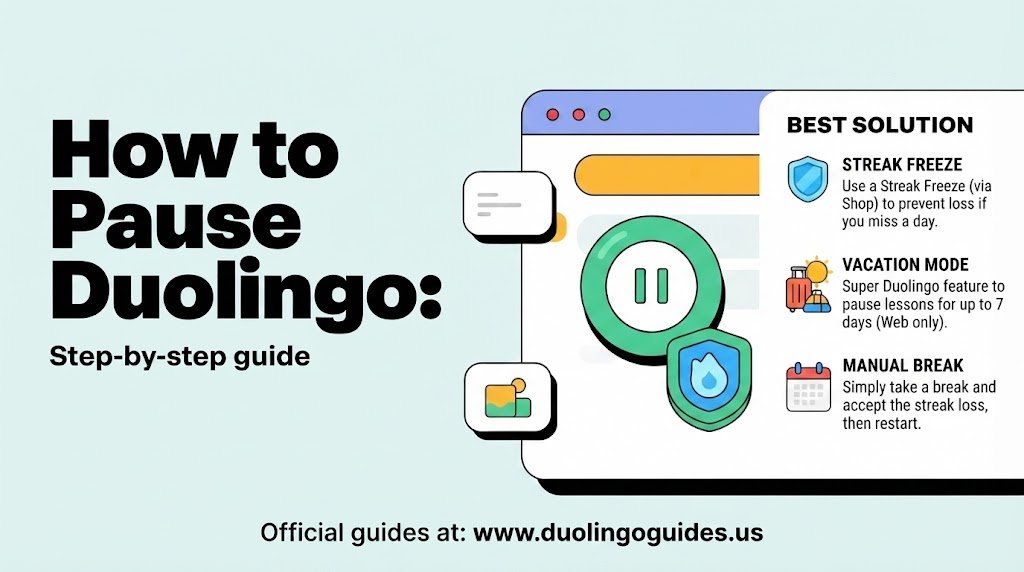
Sometimes you need a break from language learning. Maybe you are traveling, busy with work or school, taking a weekend off, or simply need some time away from your daily lessons. If you search for how to pause Duolingo, however, the answer is not as simple as pressing one universal pause button.
That is because “pause Duolingo” can mean several different things. You may want to protect your streak while taking a break, stop lesson reminders, temporarily stop using a course, or pause your entire account. These are different situations and should not be treated as the same thing.
The good news is that you can choose the option that matches your goal. The most important feature for protecting a streak is Streak Freeze, while notification settings are useful when you simply want Duolingo to stop reminding you to practice.
Duolingo has also introduced several streak-related features over time, including Streak Society, Auto Streak Repair, Weekend Amps, and other ways to make a break less stressful.
Can You Actually Pause Duolingo?
There is an important distinction between pausing your learning and pausing your streak.
If your goal is simply to stop studying for a few days, you do not necessarily need to pause your account. You can stop opening the app and use a Streak Freeze to protect a missed day if you already have one equipped.
If your goal is to stop reminders, you can manage notifications instead. If you no longer want to study a particular language, removing that course is another option, but this should be considered carefully because removing a course is different from temporarily taking a break.
In other words, there are four separate situations: protecting your streak, stopping notifications, taking a learning break, and removing a course. Choosing the right one prevents you from accidentally losing progress or expecting a feature to do something it was not designed to do.
How to Pause Duolingo Without Losing Your Streak
For most users, the real meaning behind “pause Duolingo” is actually protect my Duolingo streak while I am away.
That is where Streak Freeze becomes useful. A Streak Freeze protects your streak when you miss a day. The important part is that the freeze needs to be equipped before the missed day. It is not something you should wait to activate after the streak has already been broken.
On mobile, a Streak Freeze is commonly associated with the Duolingo Shop and costs 200 Gems per freeze. On the web version, the freeze has traditionally been associated with 10 Lingots. The exact interface and availability can vary depending on your account, platform, and Duolingo’s current feature rollout.
A normal account can generally hold up to 2 Streak Freezes. That means two equipped freezes can protect two separate missed days, but they do not create a general one-week pause.
How Streak Freeze Works
Think of Streak Freeze as a safety net rather than a pause button.
Suppose you have practiced every day for 60 days and already have a Streak Freeze equipped. You then miss the next day. The freeze protects the streak, so your streak does not disappear because of that missed day.
However, the missed day does not become a completed learning day. Your streak is protected rather than extended by an actual lesson.
This distinction is important because it explains why buying a freeze after missing a day may not solve the problem in the same way as having one ready beforehand.
How to Get a Streak Freeze
The exact menu can change as Duolingo updates its interface, but the general process is straightforward.
- Open Duolingo and look for the Gems or Shop area, find Streak Freeze, and purchase or equip it before your planned break.
On mobile, the Streak Freeze is generally purchased using 200 Gems. On the web, you may see the option under the Shop or Power-ups area using 10 Lingots.
It is a good idea to check your available freezes before a vacation, busy week, or day when you know you may not be able to practice.
Can a Streak Freeze Protect a Whole Week?
No. A single Streak Freeze protects one missed day, not seven days.
This is one of the biggest misunderstandings surrounding the phrase “freeze my Duolingo streak for a week.”
With the normal capacity of 2 freezes, you can have protection for two missed days. That does not mean Duolingo provides a seven-day automatic pause.
If you know you will be away for a longer period, you need to think beyond ordinary Streak Freeze protection. Depending on your account and available features, options such as Streak Society benefits, Auto Streak Repair, or simply completing a very short lesson when possible may be more practical.
What Is Streak Society?
Streak Society is a Duolingo feature connected with longer streaks and additional streak-related benefits.
The information reviewed for this topic identifies 100 days as an important Streak Society threshold. Once eligible, users may receive 3 additional Streak Freezes, potentially increasing the mentioned capacity from the normal 2 to 5 freezes.
That gives long-term users more flexibility, but it still should not be interpreted as a permanent account-pause feature.
Having five freezes does not mean you can activate one switch and disappear from Duolingo for five days whenever you want. Each freeze is still designed around protection for a missed day.
How to Take a Break Without Losing Your Learning Habit
A break does not always need to mean completely abandoning Duolingo.
If you are short on time, a very small lesson may be enough to keep your daily routine going. A 5-minute lesson can be much easier to fit into a busy day than a full study session.
This can be particularly useful when traveling. You may not have your normal study environment, but completing a quick lesson can help maintain both your streak and your learning habit.
The goal should not be to turn the streak into a source of pressure. The streak is a motivational feature; your actual language progress is more important.
How to Pause Duolingo While Traveling
Travel creates a special problem because your normal schedule, internet connection, and time zone may all change.
Duolingo’s offline-learning functionality can help when an internet connection is unavailable, depending on the features available to your account and app version. If you download or access lessons for offline use, it is important to reconnect and allow your activity to synchronize before the relevant daily deadline.
Time zones can also make streak timing confusing. If you are traveling internationally, do not assume that the clock works exactly the same way as it does at home.
For a longer trip, prepare before leaving rather than waiting until your streak is close to expiring. Check your Streak Freezes, make sure the app is updated, and use a reliable connection to synchronize your progress when possible.
What Happens If You Stop Using Duolingo for a Week?
If you simply stop practicing for seven days without appropriate streak protection, your streak may be lost.
But losing a streak is not the same as losing all of your language knowledge.
A week away may make you feel less comfortable with vocabulary or grammar you were practicing regularly, but it does not erase everything you have learned. The bigger problem is often the interruption of your learning routine.
After a break, you may need a little extra review before returning to your previous pace. That is completely normal.
A useful way to return is to start with easier lessons or review activities instead of immediately trying to push through difficult new material. Duolingo’s Practice Hub can be useful for this type of review when it is available on your account.
How to Stop Duolingo Notifications During a Break
If you do not want to study but also do not want to delete anything, changing notification settings may be the best solution.
Duolingo can send reminders and other notifications designed to encourage daily practice. During a break, these reminders can become annoying, particularly if you have already decided that you are not going to study.
Open your Duolingo settings and look for the notification controls. From there, you can manage the types of reminders and alerts associated with your account.
On a Windows computer using Chrome, browser-level notification permissions can provide another layer of control. If Duolingo notifications are still appearing through the browser, Chrome’s site notification settings can be used to block or adjust them.
This approach is different from pausing your account. You are simply controlling how Duolingo communicates with you.
Should You Remove a Duolingo Course?
If your goal is to stop studying one language permanently, removing the course may make sense. But do not use course removal as a substitute for a temporary break.
Removing a language course can affect the progress associated with that course. That is very different from turning off notifications or taking a short vacation.
Before removing anything, ask yourself whether you are genuinely finished with the course or simply need some time away.
If you are unsure, keeping the course and changing your notification settings is generally the safer approach.
Account Pause vs. Streak Freeze vs. Course Removal
These options can sound similar, but they solve different problems.
| Option | Best for | Main thing to remember |
|---|---|---|
| Streak Freeze | Missing a day without losing your streak | One freeze protects one missed day |
| Streak Society freezes | Long streak users needing additional protection | Up to 3 additional freezes are mentioned |
| Notification settings | Taking a break from reminders | Does not itself protect a streak |
| Course removal | Permanently stopping a language course | Can affect course progress |
| Short daily lesson | Keeping your streak and habit active | A quick lesson can be easier than a full session |
| Offline learning | Studying while traveling without reliable internet | Sync your activity when you reconnect |
This distinction is the easiest way to avoid confusion when deciding how to pause Duolingo.
What Is Auto Streak Repair?
Auto Streak Repair is another feature worth knowing about, particularly for users who are serious about protecting a long streak.
The feature can automatically use available resources to help repair a missed day, depending on eligibility and the current Duolingo plan or feature availability. The reviewed information associates Auto Streak Repair with Super Duolingo and Gems.
This is different from manually keeping a Streak Freeze equipped. A manual freeze is something you prepare in advance, while automatic repair is designed to provide additional protection when a missed day occurs.
Because Duolingo can change feature availability and account benefits, check your own app to see whether Auto Streak Repair is currently offered to you.
What Are Weekend Amps?
If your main problem is finding time on weekends, you may not need to pause at all.
The reviewed information identifies Weekend Amps as a feature associated with a 2× XP boost on Saturday and Sunday. This can make weekend practice more rewarding for users who have more free time on those days.
Rather than thinking of every busy period as a reason to stop, you can use the features available in your account to build a schedule around your real life.
The most important point is that XP and streak protection are separate concepts. A 2× XP boost does not itself protect a missed day.
What If You Already Missed Your Day?
If you have already missed a practice day, do not immediately assume that everything is permanently lost.
Depending on your account and the current features available to you, Duolingo may offer streak restoration or repair options. Some users may also see automatic or paid recovery options.
The availability and rules can change, so check the streak screen in your own account rather than relying on an old menu path.
If no restoration option appears, your previous streak may not be recoverable. Even then, restarting is not the same as starting language learning from zero.
The Best Way to Pause Duolingo
For most people, the best solution depends on why they want to stop.
If you are taking a one-day break, having a Streak Freeze ready is usually the simplest approach.
If you need two days, the standard maximum of 2 equipped freezes can provide protection for two missed days.
If you want a full week away, do not assume two freezes will cover the entire period. You need to consider additional available features or accept that maintaining the streak may require some interaction with Duolingo during the week.
If your problem is notifications, change your notification settings instead.
If you are finished with a language, consider whether removing the course is actually necessary before deleting your progress.
And if you are simply busy, a short lesson can sometimes be better than trying to create a complicated pause strategy.
Frequently Asked Questions
Is there a pause button on Duolingo?
The phrase “pause Duolingo” can refer to several different things, and there is not one universal pause function that solves every situation. Streak Freeze, notification controls, course management, and account-related settings address different needs.
How many days does one Streak Freeze protect?
One Streak Freeze protects one missed day. It does not cover an entire week.
How many Streak Freezes can I have?
The standard capacity discussed is 2 freezes. Streak Society can provide 3 additional freezes, with a mentioned maximum of 5.
How much does a Streak Freeze cost?
The reviewed information gives 200 Gems for mobile and 10 Lingots on the web. Your current account interface may differ.
Can I freeze my Duolingo streak for 7 days?
A normal Streak Freeze does not provide seven days of protection. Two standard freezes cover two missed days, not seven.
What happens if I do not use Duolingo for one week?
Your streak can be lost if you miss the required practice days without protection. Your language-learning progress and knowledge are not automatically erased simply because you took a week away.
Can I stop Duolingo reminders without deleting my account?
Yes. You can manage Duolingo’s notification settings so that reminders and other alerts are reduced or disabled. Browser notification settings can also help on desktop.
Should I delete my course if I only want a short break?
No. If your break is temporary, removing the course is usually a much more significant action than changing notifications or simply taking a break.
Final Takeaway
If you came here searching for how to pause Duolingo, the most important thing is to first decide what you actually want to pause.
For a missed day, Streak Freeze is the key protection. A normal freeze covers one day, and the standard capacity is 2. Long-term users may get additional protection through Streak Society, which can bring the mentioned capacity to 5.
For a quiet break, turn off notifications. For travel, prepare your freezes and consider offline learning. For a permanent change, think carefully before removing a course.
Most importantly, do not let a number on your profile become more important than learning the language. A broken streak can be rebuilt; the knowledge and experience you have gained remain valuable.

I’m a website professional with 5 years of experience in building, managing, and growing online content platforms. As the creator of DuolingoGuides.us, I focus on providing helpful, easy-to-understand guides and resources for Duolingo users and language learners. My goal is to make information simple, accurate, and accessible for everyone.